A Complete Guide to the IT Vendor Selection Process
The complete guide to the IT vendor selection process. Learn the step-by-step roadmap, RFI vs RFP differences, essential evaluation criteria, and how to avoid lock-in.
Summary:
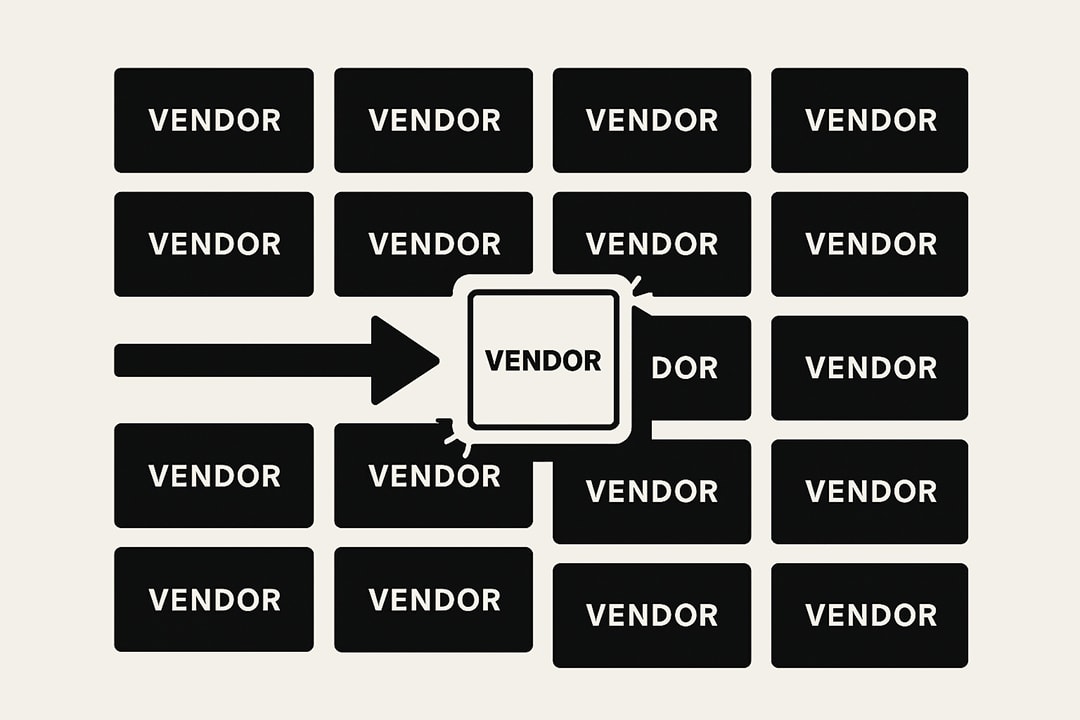
IT vendor selection is the structured process of identifying, evaluating, and contracting a technology partner who will hold your data and sit inside your security perimeter for years.
Run it as a repeatable capability, not a box to check: define needs, longlist the market, compare through RFI or RFP, prove finalists with a POC in your environment, then award defensibly.
Choosing an IT vendor is one of the most consequential decisions you make as a technology leader. You are not buying software or hardware. You are choosing a partner who will hold your data, support your employees, and sit inside your security perimeter for years.
Pick the right vendor and your team ships faster, your operations stabilize, and your budget stretches further. Pick the wrong one and you inherit months of frustrated users, wasted spend, and security exposure you did not sign up for.
This guide covers the end-to-end IT vendor selection process, both why it matters and exactly how to run it. I have watched this process play out from the inside and across the vendor evaluations that run through TechnologyMatch, and the same patterns repeat with unnerving consistency.
What follows is the operational playbook that turns a high-stakes purchase into a repeatable capability.
Why is the IT vendor selection process important?
Many organizations view vendor selection as a "procurement box to check." This is a dangerous mindset. In modern IT, your vendors are an extension of your own capabilities.

When you select a vendor, you are making three critical decisions at once:
- A Security Decision: You are often giving a third party access to your customer data or internal networks. A vendor with weak security posture becomes your weak security posture.
- An Operational Decision: If the vendor’s software goes down, your team stops working. You are betting your uptime on their reliability.
- A Financial Decision: The cost isn't just the subscription fee. It’s the cost of implementation, training, and the massive cost of switching if they fail.
Without a structured process, decisions are made based on shiny sales demos or "who the CIO knows." This leads to "Shelfware"—software that is bought but never used—and "Shadow IT," where frustrated employees bypass you to buy their own tools.
A rigorous selection process mitigates these risks. It creates an audit trail, ensures compliance, and most importantly, aligns the purchase with actual business goals.
What is the IT Vendor Selection Process?
The vendor selection process is a structured framework used to identify, evaluate, and contract with a third-party supplier. For IT, this process must be rigorous because the technical and security stakes are high.
A good process removes emotion and bias from the decision. It gives you a defensible reason for why you chose Vendor A over Vendor B.
Here is the comprehensive step-by-step process to a successful selection.
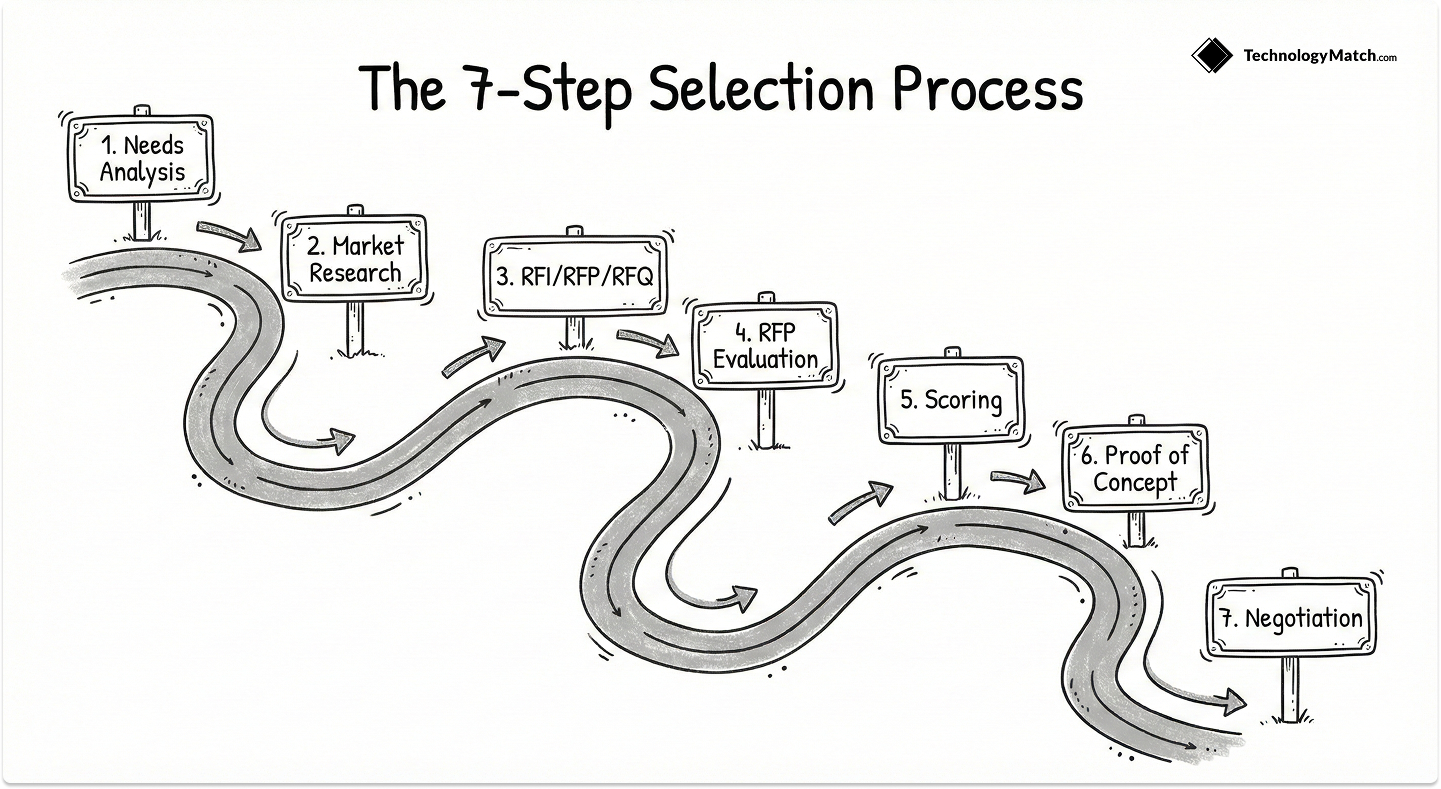
Step 1: Needs Analysis and Stakeholder Alignment
The most common reason IT projects fail is not bad technology; it is undefined goals. Before you research a single vendor, you must define the problem you are solving.
Start by interviewing your internal stakeholders. These are the people who will actually live with your decision.
- The End Users: Ask them, "What is painful about your current process?" Their buy-in is essential for adoption later.
- Security & Compliance: Ask them, "What are the non-negotiable security standards?" (e.g., SOC 2, HIPAA, ISO 27001).
- Finance: Ask them, "What is the budget cap, and does it include implementation costs?"
- Technical Teams: Ask them, "What integrations are mandatory?" (e.g., Must integrate with Okta and Salesforce).
The Output: Create a "Requirements Document" that separates features into Must-Haves (Deal-breakers) and Nice-to-Haves. If a vendor misses a "Must-Have," they are immediately disqualified. This clarity saves you weeks of wasted meetings.
Step 2: Market Research and Longlisting
Once you know what you need, start scanning the market. Your goal is to create a list of 6 to 10 potential vendors.
Avoid the "Analyst Trap." Just because a vendor is in the top right of a magic quadrant doesn't mean they are right for you. They might be too expensive, too complex, or focused on a different industry.
- Leverage Peer Networks: Ask other IT leaders in your industry what they use. Their feedback is often more honest than online reviews.
- Check Review Sites: Look for reviews from companies of your specific size. A tool that is perfect for a 50-person startup is often terrible for a 5,000-person enterprise.
- Use Discovery Platforms: Modern vendor selection tools can filter the market based on your specific technical criteria (like "Must have API access" or "Must support Linux"), instantly giving you a relevant list.
To speed up this phase, check our list of the Best Tools for Vendor Selection and Evaluation.
Step 3: RFI vs. RFP vs. RFQ (Defining the Terms)
You communicate your needs to the shortlist through standard documents, and using the wrong one at the wrong moment slows everything down.
For most complex IT purchases, the RFP is the document that matters, because it forces vendors on the record about their capabilities. Send it to your shortlist and build it as a structure for comparison, not just a list of questions.
It should carry a company overview, submission guidelines and deadlines, the technical must-haves from Stage A, a detailed security questionnaire, and a pricing model broken into licensing, implementation, and support.
Route all vendor questions through a single channel, anonymize them, and share the answers with every vendor at once, so no one gets inside information. If you want to pace this properly, follow the RFP process timeline for IT vendors.
Step 4: Scoring and Shortlisting
When the proposals come back, you will have hundreds of pages of data. Do not evaluate this by reading them linearly. You need a Weighted Scorecard.
Assign a weight to each section based on your priorities. For example:
- Functional Fit (40%): Does the tool actually do what we need?
- Security (30%): Is it safe enough for our data?
- Cost (20%): Does it fit the budget?
- Support & Viability (10%): Will they be around in 5 years?
Score each vendor’s response against these weights. This mathematical approach cuts through the marketing fluff. You might find that the most popular vendor scores poorly on security, or the cheapest vendor fails on functional fit.
Use these scores to pick your top 2 finalists.
Step 5: Proof of Concept (POC)
Never buy enterprise software based on a demo. A demo is a sales pitch in a controlled environment. A Proof of Concept (POC) is a stress test in your environment.
Take your top 2 finalists and run a POC.
- Define Success Criteria: Don't just play around with the tool. Set specific goals (e.g., "We must be able to onboard a user in under 5 minutes" or "The API must handle 100 requests per second").
- Test Edge Cases: Try to break it. Upload corrupted data. Simulate a network failure. See how the system recovers.
- Involve Real Users: Let your actual employees try the interface. If they hate it, the implementation will fail, no matter how good the backend code is.
If a vendor refuses a POC, walk away.
Step 6: Negotiation and Selection
After the POC, you should have a clear winner. Now, you negotiate the contract.
Do not just focus on the subscription price. In IT contracts, the risk is often in the terms, not the fee.
- Service Level Agreements (SLAs): Demand financial penalties if their uptime drops below 99.9%.
- Data Ownership & Exit Strategy: Ensure the contract states that you own your data. Define exactly how they will give it back to you if you leave (e.g., "in standard SQL format within 30 days").
- Renewal Protections: Cap their ability to raise prices. (e.g., "Renewal price cannot increase by more than 5%").
Once the contract is signed, the selection process ends, and the real work of implementation begins.
These 6 steps take you through the IT vendor selection process end to end, up to the award. If you run formal procurement, or you want the mechanical version with a weighted scorecard you can fill in as you go, we cover that as a dedicated framework in the 7-step supplier selection and evaluation process. Use this guide to make the IT vendor decision well. Use that one to run the procurement process end to end.
IT Vendor Selection Criteria: The Essentials
When you build your scorecard or your RFP, a handful of categories carry most of the weight, and it is worth knowing them at a high level even though the full checklist deserves its own treatment.
Technical and functional fit is the baseline, covering feature parity, native integrations, and ease of use. Security and compliance is often the most heavily weighted category in 2026, spanning certifications like SOC 2 Type II and ISO 27001, data residency, and identity controls such as MFA and SCIM.
Vendor viability tests whether the company will still be there in five years, through financial health, roadmap investment, and reference customers. Support and ecosystem asks who helps when things break.
And AI and data governance now belongs on every modern evaluation, since you must confirm whether a vendor trains its public models on your data and whether your admins can disable AI features that fail your compliance bar.
That is the overview. For the full breakdown of what to ask in each category, and a scorecard you can work through, use the essential IT vendor selection criteria and checklist, which is the dedicated resource for this topic.
IT Vendor Selection Methods, and When to Use Each
The stages above are the sequence. Inside them, you choose how much rigor to apply, and matching the method to the risk is what keeps a selection fast where it can be and deep where it must be.
Overspend effort on a low-risk tool and you waste weeks. Underspend on a core platform and you miss the failure that only shows up in production.
The curated-shortlist method is where a vetted network does the heavy lifting for you. Instead of scanning the whole market, you start from a focused set of pre-qualified vendors that already clear your non-negotiables on scale, security, and integrations.
That is exactly what TechnologyMatch is built to give you, either through a self-serve catalog or through account managers who match you against high-performing vendors, so you avoid the burnout of fielding the same pitch from a dozen sales reps every week. It does not replace rigor. It makes the rest of the process faster and cheaper to defend.
How to Select Which Vendor to Work With?
To understand how this process looks in real life, let's look at a common scenario: An IT team needs to replace their old VPNs with a modern Secure Access Service Edge (SASE) platform.
This is a complex market with many strong vendors. A simple "feature list" isn't enough because different vendors solve the problem in fundamentally different ways.
Phase 1: Defining the Architecture (The "Must-Haves")
The team first has to decide on their philosophy.
- Option A: Do they want a "Proxy Architecture"? This terminates every connection in the cloud for maximum security (Zero Trust).
- Option B: Do they want a "Route-Based Architecture"? This acts like a cloud firewall, which is better for keeping legacy applications working smoothly.
Phase 2: Evaluating the Contenders
The team looks at four major players: Zscaler, Netskope, Palo Alto Networks, and Cato Networks.
- Evaluating Zscaler: The team finds Zscaler is the market leader for "Zero Trust." It is excellent for web security but struggles with some old legacy apps that don't like proxies.
- Evaluating Netskope: The team finds Netskope is the best at understanding data. If their main worry is employees uploading secret files to ChatGPT, Netskope wins.
- Evaluating Palo Alto (Prisma): The team sees that Palo Alto offers the strongest security depth and integrates with their office firewalls. However, it is complex and expensive to manage.
- Evaluating Cato Networks: The team finds Cato is the easiest to deploy. It replaces their MPLS and VPN in one go. It might lack some granular settings, but it is fast and simple.
Phase 3: The Decision Logic
The decision ultimately comes down to the business priority defined in Step 1.
- If the business priority is "Protect our Data above all else," they likely choose Netskope.
- If the business priority is "Simplicity and speed for a lean IT team," they likely choose Cato Networks.
By understanding the architectural differences, the team makes a choice that fits their reality, not just the one with the best marketing.
Read the full technical comparison in our guide: Zscaler vs. Netskope vs. Palo Alto vs. Cato: The SASE Selection Guide (2026).
Staying in Control: Buyer-First Vendor Selection
Buyer-first means you set the pace, scope, and rules of engagement, and the vendors respond to them. You define outcomes and constraints up front, turn them into comparable criteria, and ask every vendor for the same inputs and the same proof. Demos and pricing come after fit is established, not before.
The payoff is less noise and more signal. You avoid endless pitches and focus on vendors that can actually deliver, you control the pace because you make the first move, and you surface security, data rights, SLAs, and exit steps early enough to capture them in writing.
With a platform like TechnologyMatch you can stay anonymous until you are ready to engage, which spares you the cold outreach entirely.
Underneath the posture sit a few mechanics that keep control from slipping. Assign decision rights before any outreach, so one owner drives the call and everyone knows who advises and who approves.
Publish the stage gates, longlist to shortlist to PoC to award, and the evidence each gate requires, so decisions rest on proof rather than opinion. Score against a published rubric and document the trade-offs in a short decision memo, so the choice is defensible today and at renewal. And negotiate for value, not just a lower list price, using the evidence your PoC produced as leverage.
When you need a single lens to keep leadership aligned, ask the same seven questions every time. Does this accelerate our strategy this year and next. What toil disappears, and what higher-value work replaces it.
What single points of failure does it introduce or remove. Will this vendor make our teams better. Can we scale up or down without pain. Does this build or erode our core strengths. Can we defend this choice to the board and our customers. Write brief answers, attach evidence, and if you cannot answer one in plain language, pause.
Control does not end at signing, it shows up in the first 30 to 90 days. Watch the leading indicators: faster time to value, fewer escalations, cleaner handoffs, and whether teams ask for more seats or quietly try to route around the tool. Track the slope, not a single data point, and you will catch a wrong decision while there is still time to correct it.
Common Mistakes in IT Vendor Selection
Even with a good process, things can go wrong. Here are three common traps to avoid.
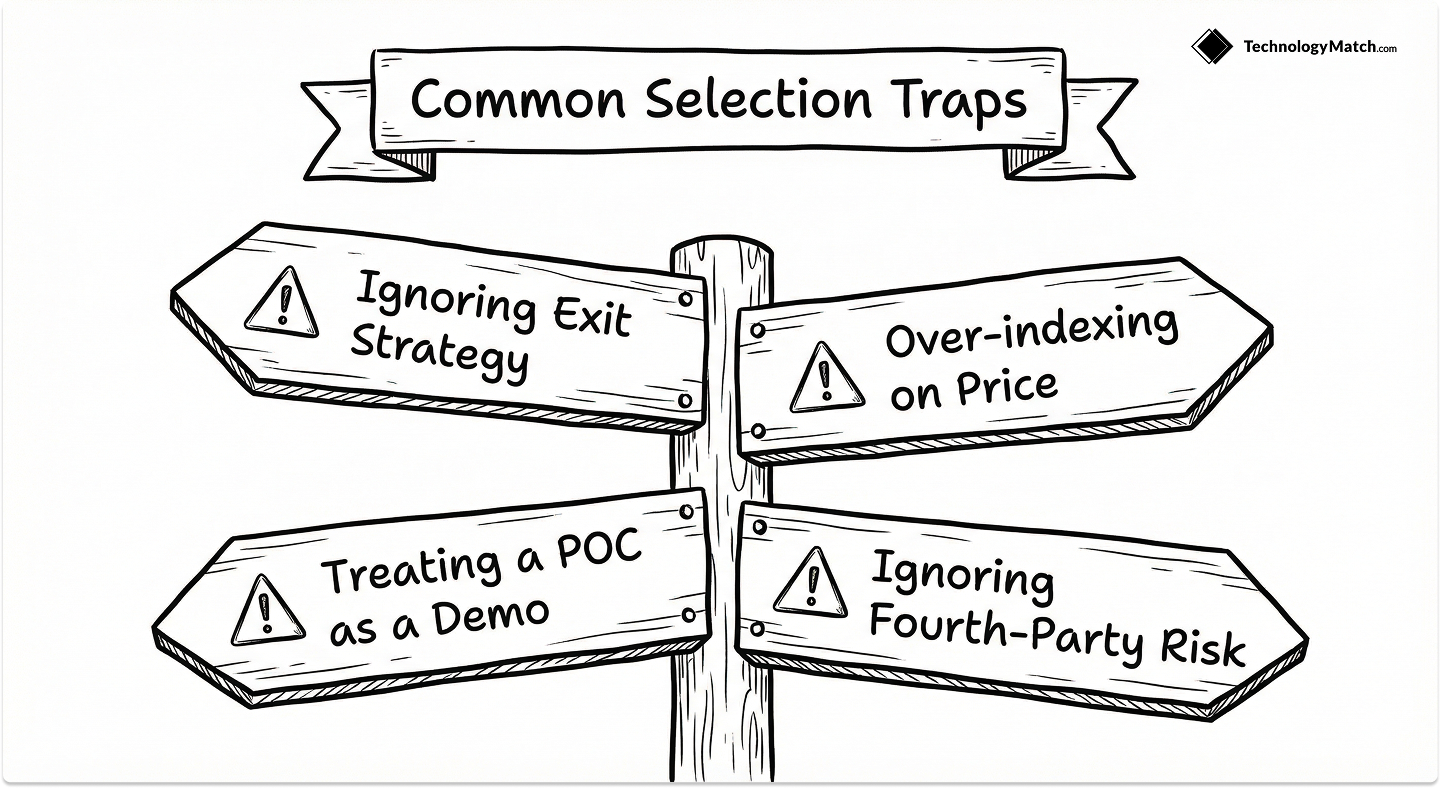
1. Ignoring the Exit Strategy
It is exciting to sign a new deal, but you must plan for the divorce. Many vendors make it easy to put data in and impossible to get it out. This is called "Vendor Lock-in." Always check the contract for data export clauses. Ask the vendor: "If we leave you in three years, in what format do we get our data, and how long will it take?"
2. Over-indexing on Price
It is tempting to choose the cheapest option, especially if the features look similar. But a cheap tool with bad support will cost you more in the long run. If your team spends 10 hours a week fixing issues because the vendor's support is slow, you have lost money. Always evaluate Total Cost of Ownership (TCO), which includes the price of the software plus the cost of your team's time.
3. Treating the POC as a Demo
Do not let the vendor drive the Proof of Concept. If they control the POC, they will only show you the happy path where everything works perfectly. You must break the system. Test the edge cases. Try to upload a corrupted file. Try to integrate it with a messy database. You need to see how the system behaves when things go wrong, because in IT, things always go wrong eventually.
4. Ignoring Fourth-Party Risk
When you vet a vendor, you are also implicitly vetting their vendors. If your new software partner relies on a fragile, unvetted sub-processor for their core database hosting or analytics, their downtime immediately becomes your downtime. Always ask for a complete, updated list of a vendor's sub-processors during the RFP and evaluation phase. If the vendor cannot clearly explain how they manage third-party risk within their own supply chain, you are inheriting an unquantified operational vulnerability.
Tools for Vendor Selection
Running this process at any scale is easier with a few supporting tools, and they fall into clear categories. Discovery and matchmaking platforms compress the longlist stage and filter the market against your technical criteria.
Standardized RFI and RFP templates make sure every vendor answers the same questions and supplies the same proof, which is what keeps comparison honest. A contract or redlining workspace with version control keeps terms and edits tidy as you move from a decision to a signed agreement. And a shared decision record holds your scores, memos, and artifacts in one place for audit and future cycles.
If bandwidth is the real constraint, a vendor and tool selection service can carry the discovery and qualification load for you, which is the model behind TechnologyMatch's account managers.
We have a dedicated guide to help you choose a vendor evaluation and selection tool.
Closing Thoughts
IT vendor selection is a strategic capability, not an administrative task. The vendors you choose become part of your team, and they either accelerate your work or slow it with technical debt you spend years unwinding.
The path from guessing to knowing is the same every time. Set the mandate, discover and qualify the field, compare on equal footing, prove the finalists in your own environment, and make a documented, defensible award. Match the depth of your method to the risk of the decision, stay buyer-first so you set the terms, and avoid the handful of mistakes that catch even seasoned teams.
Looking for IT partners?
We can help you find the right fit. You tell us your requirements over a meeting and we will find vendors that fit from a catalog of 1200. If you're ready to talk them, we'll prep them before the meeting so your conversations start with context. Also, this service is free to you.
FAQ
What is vendor selection in IT?
It is the structured process of identifying, evaluating, and contracting the third-party vendors your organization depends on, run with enough rigor to protect security, compliance, and budget. It ends when you award and sign, and hands off to vendor management from there.
What is the first step in the vendor selection process?
Defining the problem, before you research any vendor. Interview your users, security, finance, and technical teams, then write a one-page brief that separates must-haves from nice-to-haves and names a single decision owner. Undefined goals, not bad technology, are the most common cause of failed selections.
What are the stages of an effective vendor selection process?
Set the mandate, discover and qualify the field, compare vendors on equal footing through RFI or RFP, prove the finalists with scenario demos and a PoC alongside due diligence, and make a defensible, documented award. Each stage produces an output the next one relies on.
What tools can you use for vendor selection?
Discovery and matchmaking platforms, standardized RFx templates, a weighted scorecard, a contract workspace with version control, and a central decision record. Together they keep the process comparable, fast, and defensible.
How do RFI, RFP, and RFQ differ?
Use an RFI early to explore the market and narrow a longlist, an RFP to compare full solutions against your requirements and scenarios, and an RFQ only when scope is fixed and you are optimizing price.
How do IT leaders stay in control of vendor selection?
By running it buyer-first: define outcomes and criteria up front, keep demos and pricing until after fit is established, assign decision rights and stage gates, score against a published rubric, and negotiate for value using evidence from your PoC. Control comes from setting the rules, not reacting to sales cycles.